Attention: Read payment instructions before paying.
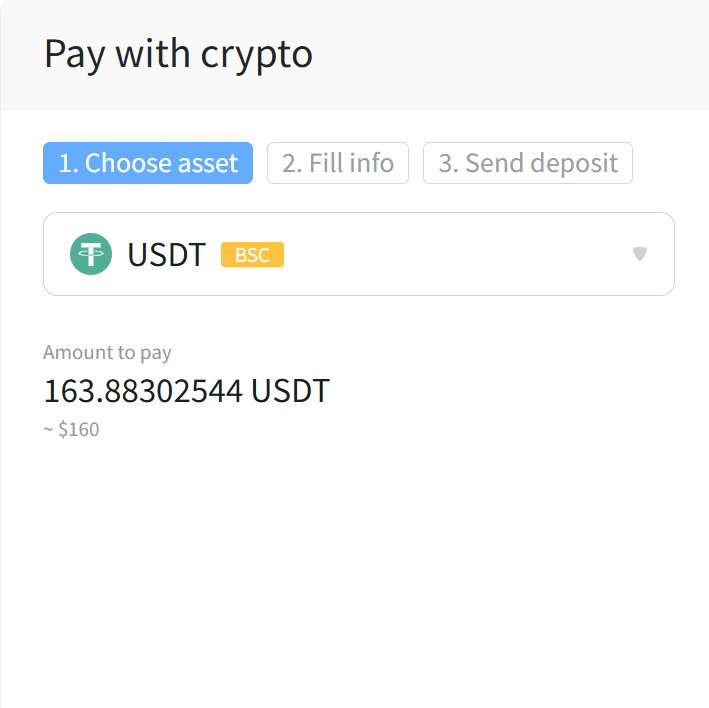
1. Choose your coin and correct network
- Select the cryptocurrency you want to pay with (e.g. USDT).
- Make sure to choose the correct network (e.g. BSC, TRC20, etc.).
2. Enter your info
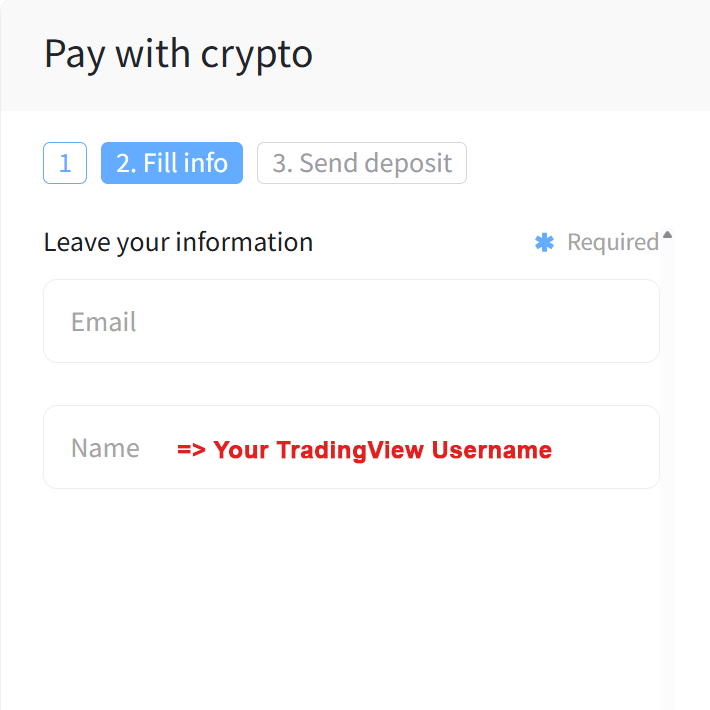
- In the Email field, enter your email address.
- In the Name field, enter your TradingView username.
3. Send the exact amount
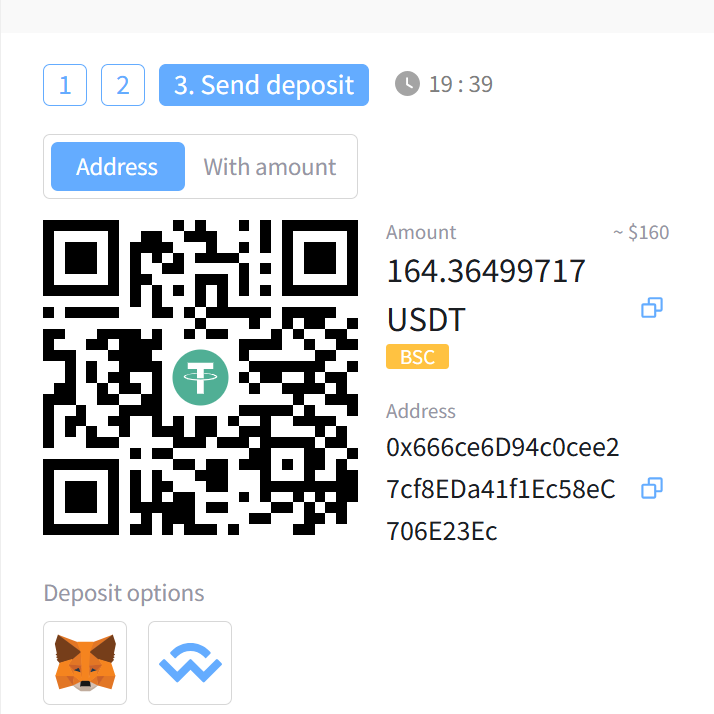
- Transfer the exact amount shown (including all decimal places).
- A small network fee may be added.
- Once your payment is complete, you will see a “Paid successfully” message.
 Cross-X